
UPDATE TAX DEPENDENTS INFORMATION
CẬP NHẬT THÔNG TIN NGƯỜI PHỤ THUỘC (NPT)
Review currently recorded dependent information / Tra cứu thông tin NPT đang được ghi nhận
- Access the Odoo portal.
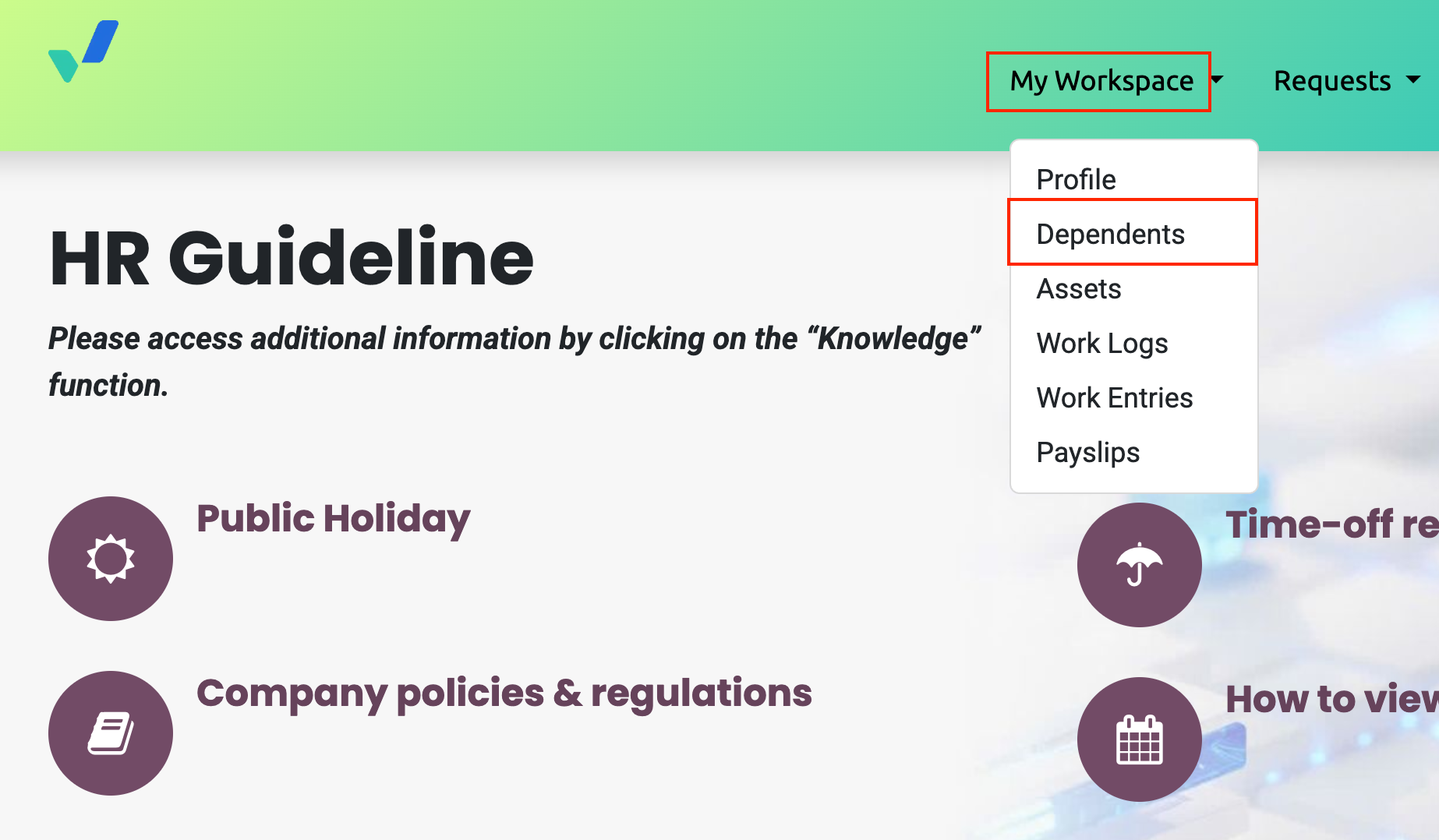
- Navigate to My Workspace → Dependents.
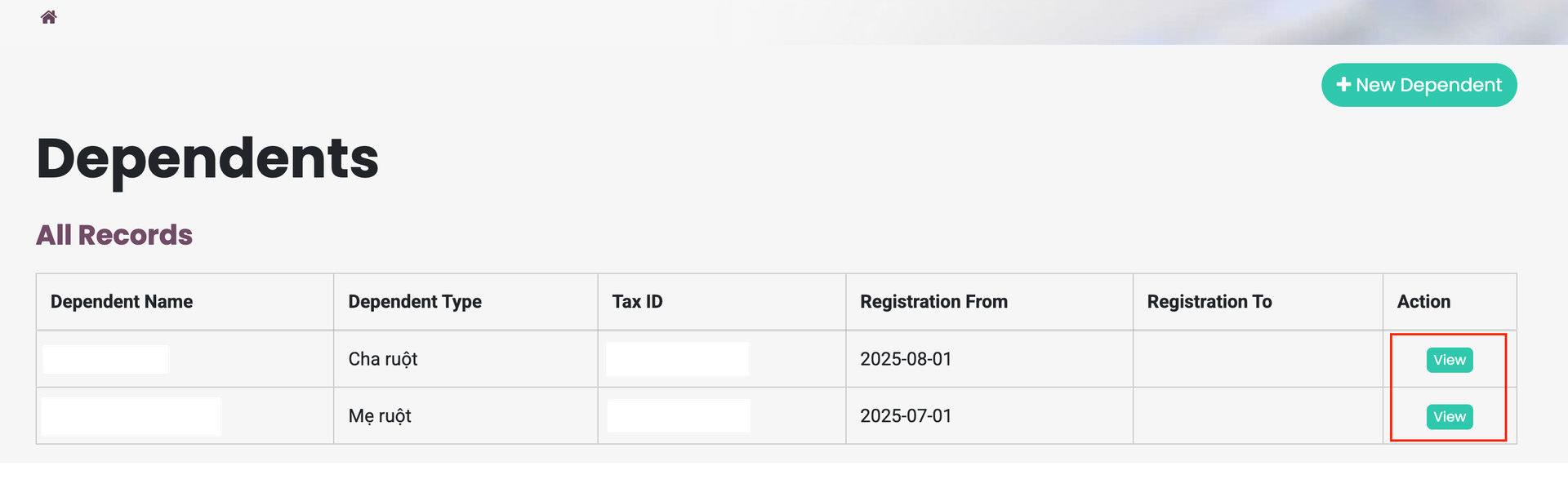
- The screen will display basic dependent information, including full name, relationship to the employee, and tax ID.
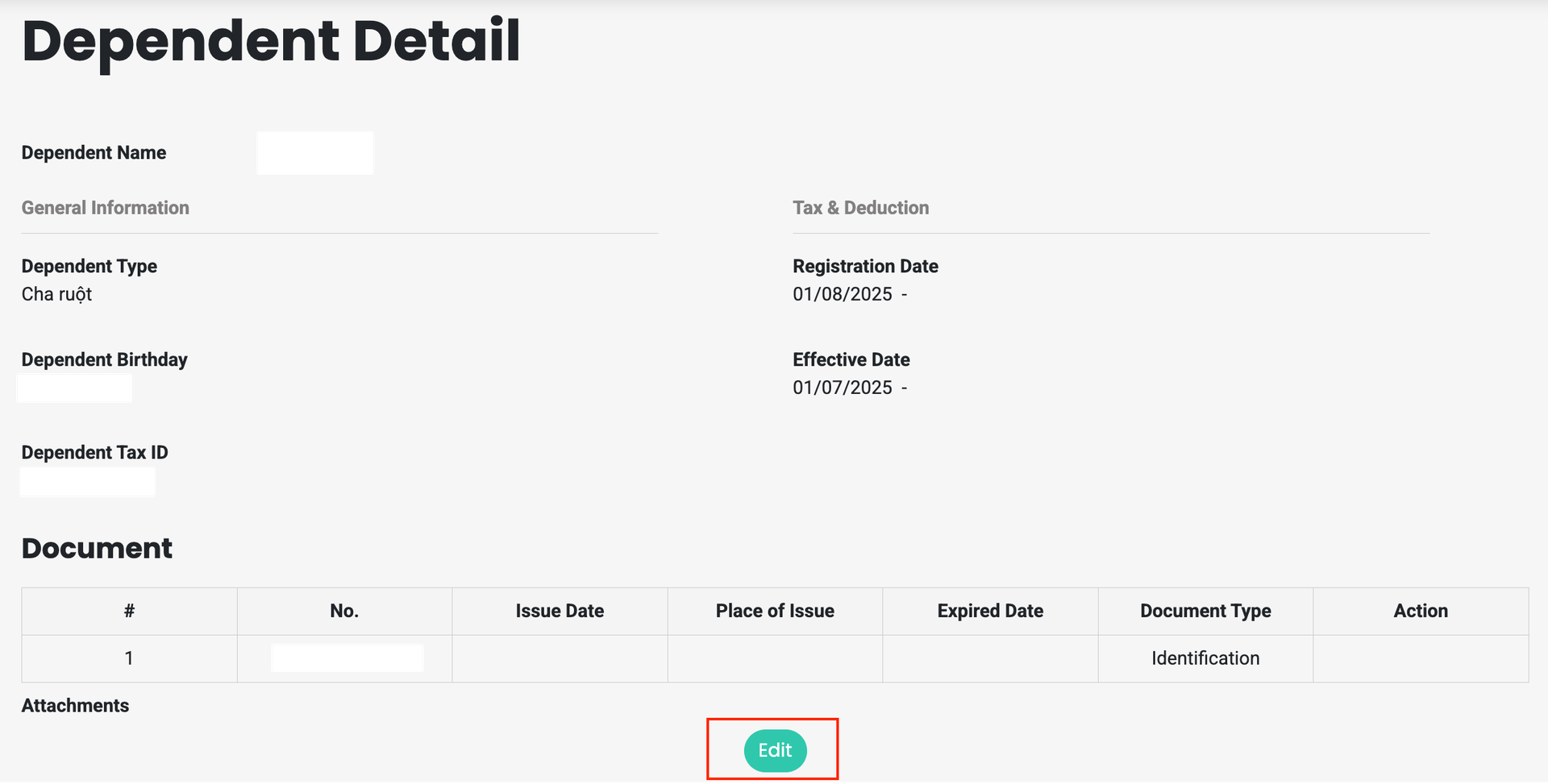
- Select View to see additional details such as date of birth and personal identification number / Citizen ID.
- Truy cập Odoo portal.
- Điều hướng đến My Workspace -> Dependents.
- Màn hình thể hiện thông tin cơ bản về NPT: họ tên, quan hệ với nhân viên, tax ID.
- Chọn View để hiển thị thêm các thông tin chi tiết của NPT: ngày tháng năm sinh, số định danh/ CCCD.
Verify and update dependent information / Kiểm tra và cập nhật thông tin của NPT
- Cross-check the dependent information recorded in Odoo with actual information or data shown on your personal eTax Mobile application.
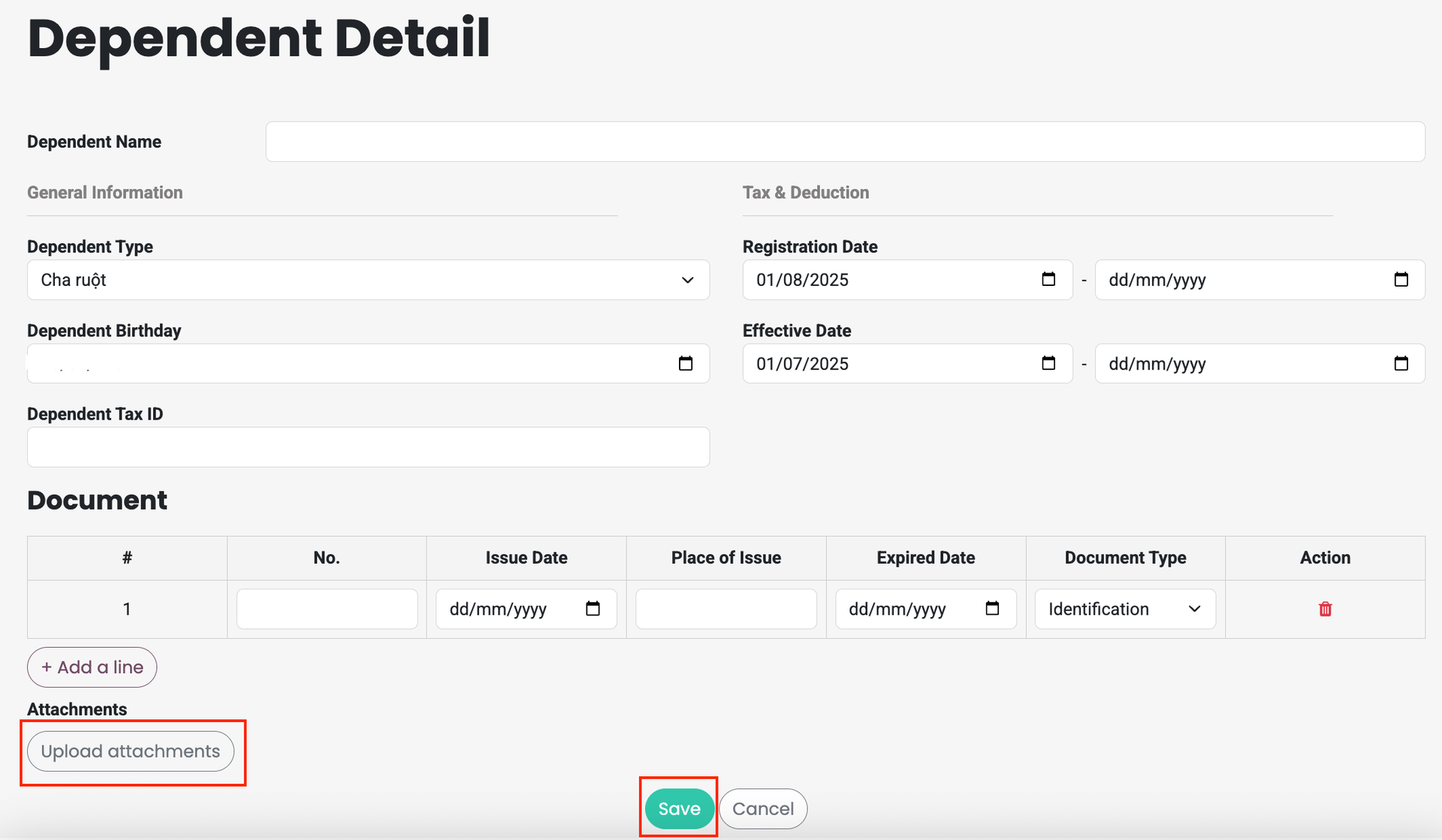
- If any information is incorrect, select Edit to update the correct details, attach supporting documents, and click Save.
- The updated information will be reflected in Odoo after the HR Department reviews and approves the adjustment request.
Ex: when updating a tax identification number, please attach a screenshot from the eTax Mobile app showing the correct tax ID.
- Đối chiếu thông tin NPT đang được ghi nhận trên Odoo và dữ liệu thực tế hoặc dữ liệu thể hiện trên app eTax mobile của bản thân.
- Nếu có thông tin chưa chính xác, chọn Edit để cập nhật thông tin chính xác, đính kèm giấy ờ chứng minh và Save.
- Thông tin mới sẽ được thể hiện lên Odoo sau khi Phòng Nhân sự kiểm tra và phê duyệt yêu cầu điều chỉnh thông tin.
Ví dụ điều chỉnh thông tin mã số thuế thì đính kèm ảnh chụp trên app eTax mobile thể hiện mã số thuế chính xác.
Guidelines for checking Dependent information on the eTax Mobile app / Hướng dẫn tra cứu thông tin NPT trên app eTax Mobile
Log in Đăng nhập | Open the eTax Mobile application and log in using your personal tax identification number or your VNeID account. Mở ứng dụng eTax Mobile, đăng nhập bằng mã số thuế cá nhân hoặc tài khoản VNeID. |
Select function Chọn chức năng | Choose Tax Registration, then select Search for Dependent Information. Chọn mục Đăng ký thuế, sau đó chọn Tra cứu thông tin người phụ thuộc. |
Search Tra cứu | The system will automatically display your tax identification number. Click Search. Hệ thống sẽ tự động hiển thị mã số thuế. Nhấn Tra cứu. |
View results Xem kết quả | A list of dependents will be displayed. Click on each dependent to view detailed information, including:
Danh sách NPT sẽ hiển thị. Nhấn vào từng người để xem thông tin chi tiết:
|